Category: CX craft

Practical advice from people who answer customers all day — writing, troubleshooting, and the small decisions that make the CX feel effortless.

  • 5 Tips for Working Remotely

    5 Tips for Working Remotely

    Before joining Automattic in 2019, I worked as a freelancer (remotely) for about 12 years. During those years, I learned a great deal about managing my time, creating systems, and staying motivated while working from my home office and all of the distractions being at home brings. Of course, I’m still learning new ways to be effective and organized (never stop learning!), but I thought I’d share some of my tried and true strategies.

    1. Know Thyself

    Socrates was really onto something when he said, “To know thyself is the beginning of wisdom.” I would venture to say that it’s nearly impossible to change your life if you aren’t at least somewhat aware of what makes you tick. I’ve always been a fan of the study of personality types and have found that particular knowledge is incredibly useful when it comes to both understanding myself and understanding others. My favorite source for determining one’s personality style is 16personalities.com. I’m an ISFJ-A, meaning I am an Introvert, yet I am deeply social, I’m organized and detail-oriented, and I have a tendency to overcommit. 🙂 Of course, there are other traits to my personality type, but these are the ones that I’ve seen really come into play while working remotely (or anywhere, really!). Another good tool is the Enneagram (here’s a free test!). Knowing your Enneagram type is especially useful in determining what you tend to do when under stress.

    Knowing why you do what you do and react how you react is a great tool to have in your wheelhouse, whether at work or in your personal life.

    2. Have Realistic Expectations

    I am not a morning person. This is a fact that you will learn quickly if you encounter me before 9am. I get up earlier than that most of the time; however, I do not want to talk to anyone. At least not until I’ve had my coffee (or two or three coffees). I really hit my stride around 11am or so. I know this about myself, so I know how I should structure my day for me to be the most effective…and tolerable to be around. 😉

    What does that look like on a practical level? A few of my rules of thumb:

    • Don’t schedule early morning chat support sessions (when I was a Happiness Engineer) – it’s not pretty, and I struggle to troubleshoot effectively.
    • Avoid early morning meetings. I mean, I can attend these meetings; I’m just more engaged if my brain is warmed up first!

    In short, I know and accept what my limitations are. I am probably never going to be a chipper early-bird. And I’m a-okay with that!

    3. Have a Dedicated Workspace

    I realize it’s not always practical to have an entire room for your office. If you’re unable to dedicate an entire room to your office, at least have some sort of visual barrier like a curtain or screen. This is helpful when you have children at home to remind them that you are working. This also works for chatty partners at home.😉 A visual reminder that this is your workspace will also help you put work down when the day is over. Who likes to stare at a pile of work when they are off the clock? While working from home, it is especially important to your mental health to have a clear division between when you are working and when you are not working.

    4. Don’t work in your PJs

    Okay, so I will be honest that many of the people I work with work in their PJs. And that works great for them. I, too, like to be comfortable while working. I mean, that’s a serious perk of working remotely! That said, I find I’m more productive when I make some sort of effort with my morning routine. This includes getting dressed, brushing my hair, and brushing my teeth. 🙂 (Pro Tip: Sweatpants and leggings are pants, so it counts as getting dressed!)

    5. Take Breaks!

    When I first started working remotely, I essentially kept myself chained to my desk. That made for some really long days and nasty headaches. I’ve learned over the years that I need to take occasional breaks and step away from my workspace. I’ll walk my dog, help my son with schoolwork, do a few chores, or sit on the couch and simply take a breather. Sometimes I’ll even take a 30-minute power nap. Taking breaks throughout the day is not only helpful for your mental health, it’s also good for your physical health! Be sure to give yourself plenty of time to stretch your legs, stretch your neck, and get away from the screen for a bit.


    Interested in becoming a Happiness Engineer at Automattic? Visit the Work with Us page to learn more about how you can express your interest!

  • Supporting your users when things go wrong

    Supporting your users when things go wrong

    In the past year, WooCommerce has grown tremendously. Not only has our product become more stable, our operations are more organized and our number of people has almost doubled in size. 

    Sometimes, though, things go wrong. Whether it’s a bug in a product, an unexpected email that got sent, or something else. When this happens, we want to support our users in these times of urgency. 

    Over the years, we’ve gathered insights and experience in how to handle these situations well. In this post, we’d like to share some of our approaches with you.

    What we’ve learned

    Be transparent. When there is a bug or other issue with your software, your customers want to hear from you about it. It’s important to be transparent and open, as transparency helps to build trust.

    For example, in July 2021, we decided to write a blog post and send out a mailer to all users in our database about a vulnerability. We did this right away, and continued updating the blog as we learned new information. 

    Anticipate questions (and prepare answers). Before we send out an email or publish a blog post, there are two things that we need to figure out. The first is what we are going to tell our users. 

    To answer these questions, we work together with our marketing, product, and legal teams. We brainstorm the questions we expect our users will have, and formulate answers to those questions. The result will be that few of the questions that are asked will be a surprise to us. Doing this allows us to focus on interacting with our users, as we’re no longer spending time finding answers.

    Set up routing. The second big question is where we want to have these conversations with our users. When we are the first to report on something going wrong on our blog, our social media, or via email, we invite our users to chat directly to us. We want to keep our channels open and gather as much feedback as possible. 

    For example, when we’ve published a blog, we’ve left the comment section on the blog post open and monitored it constantly. When we’ve sent out an email, we’ve ensured that users could reply. By making it as easy as possible for them to do so, we were gathering the questions in the place we could respond to them swiftly. When we were expecting a rather large number of email replies in Zendesk, the support tool we use, we further made sure that replies to our mailer ended up in a separate queue. 

    In such cases, if we set up the routing carefully, we know that the majority of conversations will likely happen in those channels that we monitor closely. This allows us to engage with our users and answer any questions that arise. 

    Create a task force. In all cases where we need to address an unexpected event, the effort for this is stressful and intensive, but also limited in time. We’ve found it best to have a smaller group of Happiness Engineers handle all of those very specific, ultimately temporary concerns that people have. 

    This allows the smaller triage group to reply faster, but it also ensures that our other support requests still get the majority of our attention. Because of our Zendesk routing, a task force can move through the questions connected to this specific problem, while the rest of our support team helps our other users. This task force has the ownership of the process, so they can make close-to-instant decisions, even if that means disregarding minor workflow steps we follow in normal times.

    Get moar data. We want to review our actions, both real-time and retrospectively. To do that well, we set up tagging before we even send out or publish anything. Our general rule is that if we expect the same type of question more than once, it should get its own tag. As a result of our careful tagging, we can see what the most recurring questions were. The results also help us make decisions on how many people and how much time to allocate to this incident. Finally, the data helps us to prepare for future incidents. 

    So does it work?

    Yes, it does. For example, in the incident I mentioned earlier, it took us less than 30 hours to respond to the majority of the questions on both our blog and in the email replies. In the past, when we were less organized to address these, it easily took us five times longer to do so. 

    Build relationships 

    One final thing we’ve realized is that our pre-existing work relationships are the glue that holds all of the above together. When hearing others in the tech support industry talk about developers, marketers, and so on, the undertone is often one of conflict and irritation. While these occasionally exist at Automattic as well, generally, we work well together. 

    It’s important to not wait until things go wrong to talk about our work with colleagues from our product team, the marketing team, and the legal team. At our annual Grand Meetup, we joke together and share meals. With some of the key people in each team, I have a regular Zoom meeting that isn’t prompted by incidents, but that is focused on relationship building. As a result, we can communicate directly and swiftly. We know which people should be involved. 

    If the first time you’re chatting to a developer is during an incident, there’s no relationship. There is no shared understanding of company culture and intentions, and it’s going to be challenging to go through a process riddled with stressful communication and urgent decisions. We (try to) nurture a relational culture where whatever I suggest as the WooCommerce Happiness division lead isn’t above critical questions. For example, the way we word our replies and how we approach the triaging will be a lot more efficient if Happiness Engineers feel comfortable critiquing my wording and tweaking my suggestions. 

    Don’t wait until things go wrong to build these relationships and culture. And definitely don’t wait to repair relationships with other divisions until everything goes bad. When things do go bad, you’ll need to rely on each other more than ever.


    Interested in becoming a Happiness Engineer at Automattic? Visit the Work with Us page to learn more about how you can express your interest!

  • Domains: A Cookie Jar Analogy

    Domains: A Cookie Jar Analogy

    As Happiness Engineers, one of the most common questions we receive is about one’s domain name and how it affects their website. Domain names can look daunting, but you don’t have to worry about it! Grab your favorite cookies and cup of tea or coffee or chocolate (or any beverages you prefer,) and let’s learn more about domain names and why they are similar to a cookie jar.

    Think…cookies in a jar. The cookies inside the jar are your website’s contents. Your posts, pages, themes, plugins, database, everything.

    Then, the cookie jar needs a label to identify it. It can be your name, or it can be a label written with bold letter “COOKIES”, or anything. That label is your domain name.

    Generally, when you create a website, the cookie jar has its default label — we call this the “website address.” It can be something like temp0245.website.net, or if you are hosting the website in WordPress.com, the website address will typically be something like WEBSITENAME.wordpress.com.

    The website address itself can vary, depending on the website hosting company. For WordPress.com websites with a Business plan and customized plugins/themes without a custom domain name yet (we will talk about custom domain names soon), the website address is WEBSITENAME.wpcomstaging.com.

    Why is that? It’s similar to how we human beings created a naming system. When a person is born, they will automatically be given a name. Even when the individual is unidentified, we usually provide names such as “John Doe” or “Jane Doe”.

    Now! What is a custom domain name? Custom domain names are essentially “vanity” names. This is a domain name that you can choose (as long as it’s available on the market), register, and renew regularly. People purchase custom domain names for business purposes, professional image, or simply for folks to remember it easily.

    Is it compulsory to purchase a custom domain name? Not really. Some hosting providers provide free website addresses which are easy to remember (like .wordpress.com, .blogger.com, .tumblr.com, and many more.) Some hosting providers might require the users to purchase a custom domain name, but all in all, purchasing a custom domain name is based on your needs and preferences.

    In some cases, and this is actually pretty common, there are cookie jars with multiple labels (one website with multiple domain names.) Some people choose to do that to ensure the domain name is “correct”, for the sake of presence, and for reducing phishing risk. For example, company A has a company website with the domain name companyA.com. They decide they want another domain, companyA.co, to open the same website as companyA.com. They can put two domain names on one website and the whole thing will still work.

    We talked about multiple domain names on one website and how the whole thing works and should work smoothly. However, there’s an important point to remember:

    A website needs a primary domain name.

    A primary domain name is, no matter how the website is accessed — whichever domain name was used to access the site — the domain name that will be displayed in the browser address bar is the primary domain name.

    For example, if you have a WordPress.com website address: awesomeblog.wordpress.com — and then you purchase the custom domain name awesomeblog.com, make sure you set the custom domain name awesomeblog.com as the primary domain name to ensure your website visitors see awesomeblog.com on their browser address bar when they visit your website. They will still be able to access awesomeblog.wordpress.com, but they will see the custom domain name in their browser address bar.

    The same goes if you have more than one custom domain name. Taking the example from companyA.com and companyA.co above; if the primary domain name is set to companyA.com, visitors will be able to access companyA.co, but they will see companyA.com in the browser bar.

    What will happen if the custom domain name is canceled? The address will revert back to its default website address.

    I hope this post helps you understand how domain names affect one’s website contents 🙂 If you want to learn more about custom domain names, check out this article on WordPress.com.


    Interested in becoming a Happiness Engineer at Automattic? Visit the Work with Us page to learn more about how you can express your interest!

  • 5 Lessons I’ve Learned from My Cat

    5 Lessons I’ve Learned from My Cat

    Echoes, Silence, Patience, and Grace. The Foo Fighters album’s name defines my cat, Hunter, and the ways she has helped me to become a better Happiness Engineer.

    I adopted Hunter in March of 2011. She was pretty small, full of fleas, and very sick. Her former owner had traumatized her. She was and still is a terrified cat. But she is healthy and happy, grumpy and demanding, loving and dear, and my best medication for bad times.

    During the first two days after the adoption, she slept inside my pillow and wouldn’t even drink water. I was pretty worried, but then she started to eat chicken and sleep in my lap or on the TV (it was warm there), and with time, she opened up and accepted this crazy human.

    I started working with WordPress Customer Support in 2014 when she was 3 years old. Since then, she has always slept at my side during my shifts. And these are the lessons I have learned from her:

    Echoes

    Echoes from her past. Everything that traumatized her could compromise our relationship. Hunter is still afraid of loud noises, people on the street, the ringing phone, or people at our door. 

    Likewise, every customer we assist has likely had a bad experience with customer support in the past, creating their own echos.

    And how do I handle customers’ Echoes? With Silence, Patience, and Grace. 

    Silence

    Hunter is a pretty quiet cat, but when she wants something, like water, food, or affection, she knows how to express herself and ask for it. 

    And our users are sometimes so loud that even they do not understand the problem with their site, account, or frustration at that moment. 

    That is why our silence is essential. We need to stop talking and instead listen. Listen to understand. 

    Earning a customer’s trust begins with good communication and delivering quality support. Trust is the foundation of a long-term relationship, and I believe listening to the user is the first step to accomplish it. 

    When I adopted Hunter, it took me several days just to get her closer to me. But it took me years to gain her trust, get her to sleep with me, or travel on a plane without making a single meow.

    Patience

    Sometimes customers are stubborn. Sometimes, they have bad behavior due to their past experiences (echoes again). But sometimes, they are just afraid and confused and need our patience and understanding to figure out what they really need. 

    Most of the time, the exercise of patience must come from our side first, calming the user and taking some time to understand their need and the best way to help them. 

    Like trying to communicate with a cat… you never know what they really want, but you can always figure it out with patience.

    Grace

    It is not a matter of being polite or an expert at the subject. The tone you use when you write your responses, the way you feel when working on a ticket, is noted by the customer when they receive your response to their inquiry. Hunter always notices when I am sad or in a bad mood, and she does whatever she can to make me feel better. If my spirit is perceived by her, it makes sense that it can be noticed by the customer as well. 

    So, even if I am having a bad day, I try to do my best to project a positive attitude. 

    I believe it is important not to transfer my mood to the customer that I am assisting. The communication must be focused on understanding the customer’s issue and providing a solution while also delivering a positive experience.

    Relax

    This one is a bonus lesson.

    I learned from Hunter how to relax, even if the world is falling down around me. No personality trait in a cat is more remarkable than its ability to relax. If a cat feels safe, it will curl itself into a ball and sleep. 

    I can confess that I allowed myself to learn how to relax after a couple of months of working at Automattic. Working yourself to the point of burnout will not help you get tasks done faster, but it will affect the quality of your work 

    Just like Hunter and her feline ancestors, we should learn to appreciate what we have and take some rest sometimes.


    Interested in becoming a Happiness Engineer at Automattic? Visit the Work with Us page to learn more about how you can express your interest!

  • Engineering Happiness in Public Support Channels

    Engineering Happiness in Public Support Channels

    Have you ever desperately looked for support and ended up on a company’s Facebook page? Have you ever tweeted at the brand you really love? What about the one that you can’t stand? Have you ever wondered what it’s like to be on the other side?

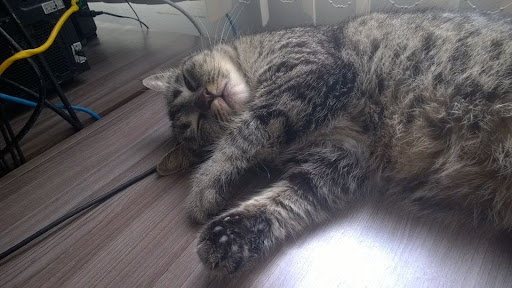
    My name is Oliwia and I’m one of the Happiness Engineers from a team called Chiron. We take care of the WordPress.com forums and reply to users on our social media channels like Facebook, Twitter, or Instagram. I live with several cats and they are all very invested in my work. I don’t always allow them to write my replies but, as you can see in the photo above, Kluska loves to be involved in any way she can.

    Let’s get back to Chiron. What’s special about our team is that everything that we do is public. There are no emails or private chat – you can see how we work visiting the support forums, Facebook, or Twitter pages for all Automattic products.

    We’re a small team spread across the globe – that allows us almost a 24h coverage of our social channels. That’s why it doesn’t matter if you reach to us at 6 am or at midnight, someone will get back to you soon. This, however, can sometimes pose a challenge. Like when we have to choose the time for a team call. While some of us have only just woken up and are drinking their morning coffee, other are at the end of their work day and getting ready to have dinner.

    Working on the WordPress.com support forums takes a big chunk of our day. We make sure that all users who need our help get it. That includes reviewing and moderating all threads, while also manually checking our spam queues to make sure there are no legitimate support threads that got caught by our Spam filter. (Here’s an example of an interaction on the forums.)

    We have a bunch of great volunteers on the forums. They make our work easier by helping fellow users get the best out of their WordPress.com sites. Some volunteers are people interested in applying for the Happiness Engineer role and are building their customer support experience. Our team makes sure that the volunteers are informed about any important changes or new features using private P2s sites.

    While replying to forum threads is pretty straightforward, Social Media is a whole different world. To be able to manage all of our social channels (there’s almost 20 on Twitter alone), we use a tool called Agorapulse. That way we can see everything in one place instead of manually logging in and out of every account. Whew! (Here’s an example of helping a customer on Twitter.)

    Every day we see hundreds of forum threads, private messages, Tweets, comments, but not all of them are related to our products or websites in general. Some are funny, like spammy messages about joining the Illuminati, or using black magic to punish an unfaithful spouse (yes, we really get these). If you’ve used social media, you know that people aren’t shy about airing their frustrations with vendors in public. People can behave downright rudely when they’re experiencing problems with a product.

    But even in those cases, it’s important to try to focus on what we can do rather than on things we have no control over. We want to help everybody have a good experience with our products no matter how they reach out to us. Since Twitter limits the number of characters we can use, it can be challenging to keep these kinds of conversations there, so sometimes we do redirect people to our official support channels, where we can answer complex questions more effectively and help them move forward.

    It can feel really good to help an angry customer who comes to us feeling like this:

    so that they walk away feeling a lot more like this: